I was thinking that being the first one here to get a Windows 10 upgrade to come through and complete I’d have a few war stories to tell about the experience and be bearing some scars. However it’s been the complete opposite with the Surface Pro installation being the easiest one I’ve ever seen from a Windows product.
As reported yesterday, some PCs will be downloaded downloading the upgrade files now. Once they are ready, it is a case of clicking on the button to begin and then accepting the terms and conditions. The process used a simple percentage display and would occasionally restart during the process but only lasted about an hour in total.
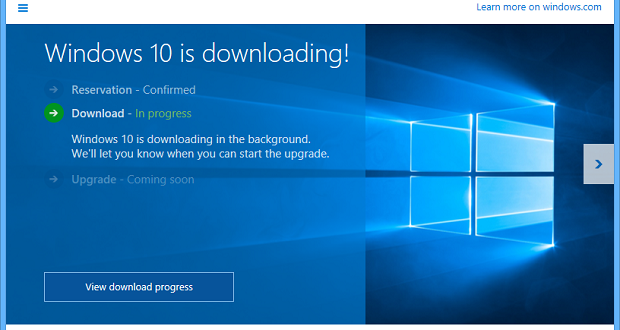
Windows 10 on its way.
One big feature of this upgrade over the one for Windows 8.1 is that it will retain a number of your desktop apps instead of forcing you to reinstall them all. That’s a big time saver for many people.
Windows store apps may still need to be updated as they did for 8.1 but a lot of it happens again in the background after you have completed the main installation which helps you to get going faster.
Probably the first thing I noticed once logging in is that the new Start screen scrolls vertically as it does on Windows phones. A nice touch is with a screen in landscape mode the tiles are arranged into two columns and when switching to portrait mode it rearranges into a single column.
After that I had to see the new Continuum mode in action; snapping the keyboard on and off will allow the Surface Pro to switch between tablet and desktop modes seamlessly. At times I hadn’t even noticed the difference except when I switched between apps which changes to reflect the mode you are in with the tablet mode operating in a similar way to Windows 8.1.
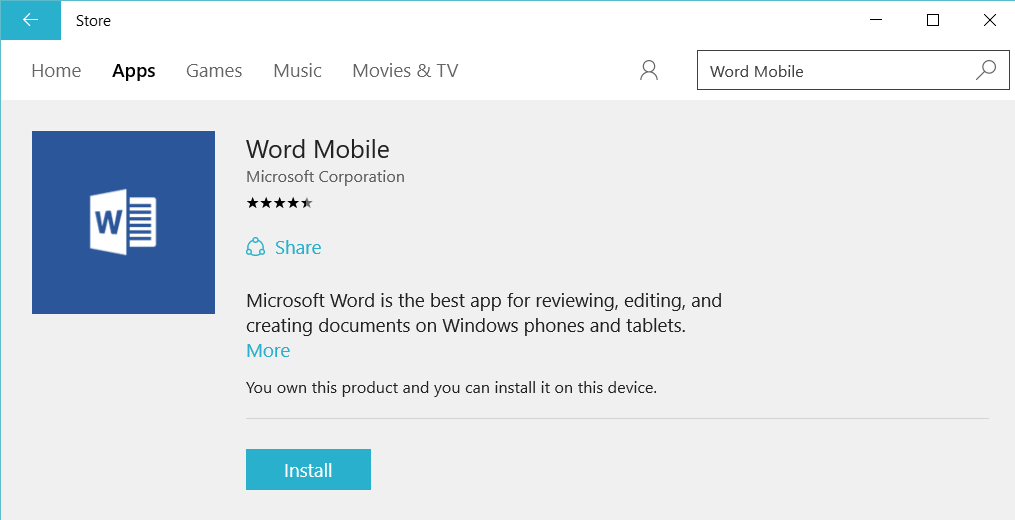
Get the Office Mobile apps from the Windows Store ASAP.
When it comes to software, possibly the biggest bonus of this upgrade is having access to the new Office Mobile apps (free from the app store) which provide a decent level of functionality compared to the desktop versions.
They’re a perfect fit for the Surface Pro and should be considered essential downloads; these machines previous reliance on the desktop versions of Office really chewed up the precious disk space.
All in all, I’m impressed with how successful this upgrade was, especially compared to the horrors I had faced during the Windows 8.1 update. Will many more machines left to upgrade (and even a phone here with a preview version), we’ll see soon enough if the ease of upgrade extends to more systems than Microsoft’s own.
[UPDATE 2015-08-01] Turns out the Office Mobile apps still require an Office 365 subscription to edit and save which is a downer and may convince some to stick with the web versions if they don’t use them a lot.
Categories: Opinion, Technology


 The Late Night Session
2 replies »